

Authentication Methods
Learn about the authentication methods available to secure your API requests.
StraitsX supports two authentication methods for securing your API requests. Both methods require the X-XFERS-APP-API-KEY header, which identifies your business account.
Securing your API KeysYour API keys and private keys carry many privileges, so be sure to keep them secure! Do not share your secret API keys in publicly accessible areas such as GitHub, client-side code, and so forth.
Method 1: API Key Authentication (Default)
This is a token-based authentication method where your API key acts as a bearer token to identify and authorize your application. Each API request is authenticated by including your API key in the request header — no additional signing or cryptographic steps are required.
| Header | Description |
|---|---|
X-XFERS-APP-API-KEY | Your API key, retrieved from the StraitsX Business Dashboard > Platform Tools section. |
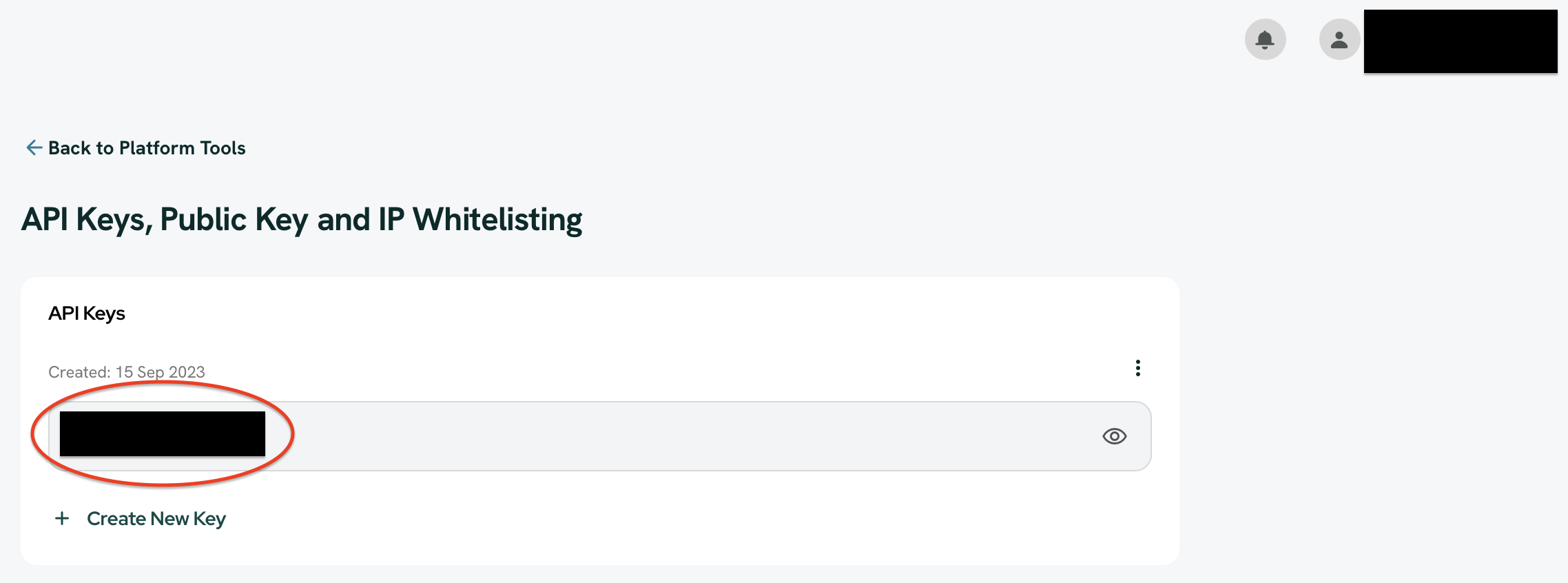
StraitsX Business Dashboard > Platform Tools > API Keys, Public Key and IP Whitelisting Section
All accounts have an app key for both Sandbox and Production environments. You can retrieve them from the locations below:
| Environment | API Key | Location |
|---|---|---|
| Sandbox | X-XFERS-APP-API-KEY |
|
| Production | X-XFERS-APP-API-KEY |
|
This method is suitable for most integrations and requires no additional setup beyond generating your API key from the StraitsX Dashboard.
Method 2: HTTP Request Signing (Optional)
HTTP Request Signing is an enhanced authentication option that uses asymmetric cryptography (public/private key pairs) to sign each API request. This provides stronger security guarantees on top of your API key.
In addition to the X-XFERS-APP-API-KEY, the following headers are required when HTTP Request Signing is enabled:
| Header | Description |
|---|---|
X-PUBLIC-KEY-ID | The Key ID of the public key uploaded to your StraitsX Dashboard. |
X-TIMESTAMP | Current Unix epoch time in seconds. Must be within ±300 seconds of server time. |
X-NONCE | A unique UUID string per request, used for replay protection. Must not be reused within the timestamp window. |
X-SIGNATURE | Base64-encoded digital signature of the canonical request string. |
For detailed implementation steps, including how to construct the canonical string and code samples, refer to the HTTP Request Signing FAQ section.
Getting Started with HTTP Request Signing:
- Keep your
private.pemsafe on your server — never share or expose it. - Upload your
public.pemto the StraitsX Dashboard under the Public Key management section. - Test your signing flow in the Sandbox environment before enabling it in Production.
Security Best Practices
These practices apply to all authentication methods — whether you are using API Key Authentication or HTTP Request Signing.
| ✅ Do | ❌ Don't |
|---|---|
| Store your private key in a secure vault or environment variable. | Never commit your private key to GitHub or version control. |
| Use descriptive names for your keys to avoid confusion. | Never send your private key via email or messaging platforms. |
| Rotate your keys every 6–12 months. | Don't use the same key for Production and Sandbox environments. |
| Test your integration in Sandbox before going to Production. | Don't hardcode API keys or private keys in your source code. |
Updated 7 months ago